Invoice Maker - Kobrado
Your invoice in English, ready in a minute, never pay per invoice
Estimates & invoices for contractors. Write in Spanish, send in English.
Send professional estimates and invoices in under a minute, right from the job site. Built for landscapers, cleaners, painters, plumbers, electricians, roofers and builders.
What hurts most about invoice apps, and how Kobrado is built the other way around
We read 1,750 recent public reviews of the most-used invoice apps; 490 were 1 or 2 stars. These are the three complaints that matter most to a contractor, and what we did about each.
They charge per invoice, or raise the price mid-year
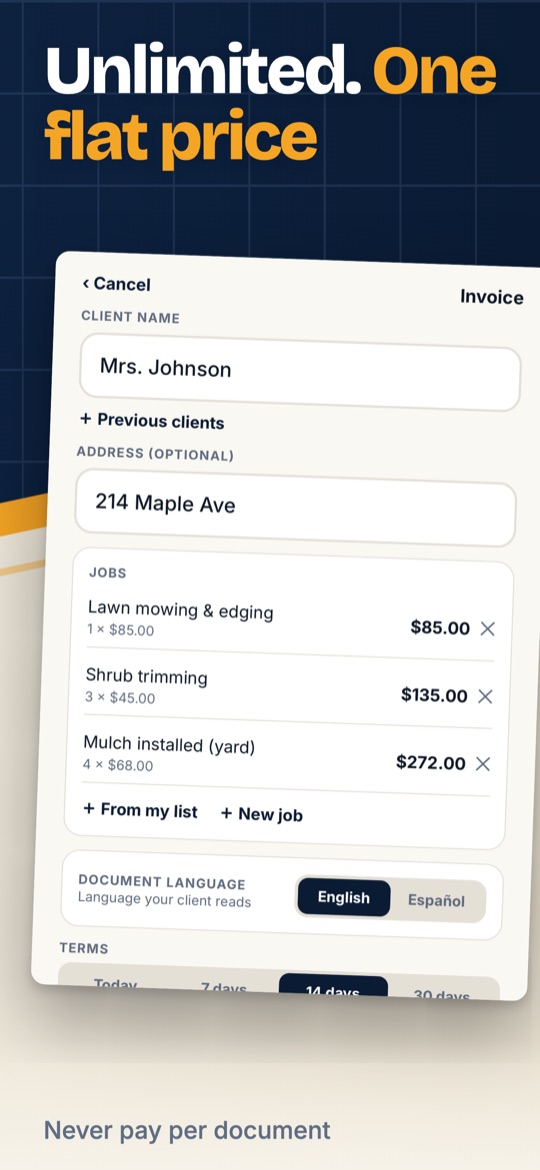
21% of the complaints. Kobrado is one flat price, US$49.99 a year, with unlimited estimates and invoices. You never pay per document and the price does not change on you.
The app holds your money or takes a cut when the client pays
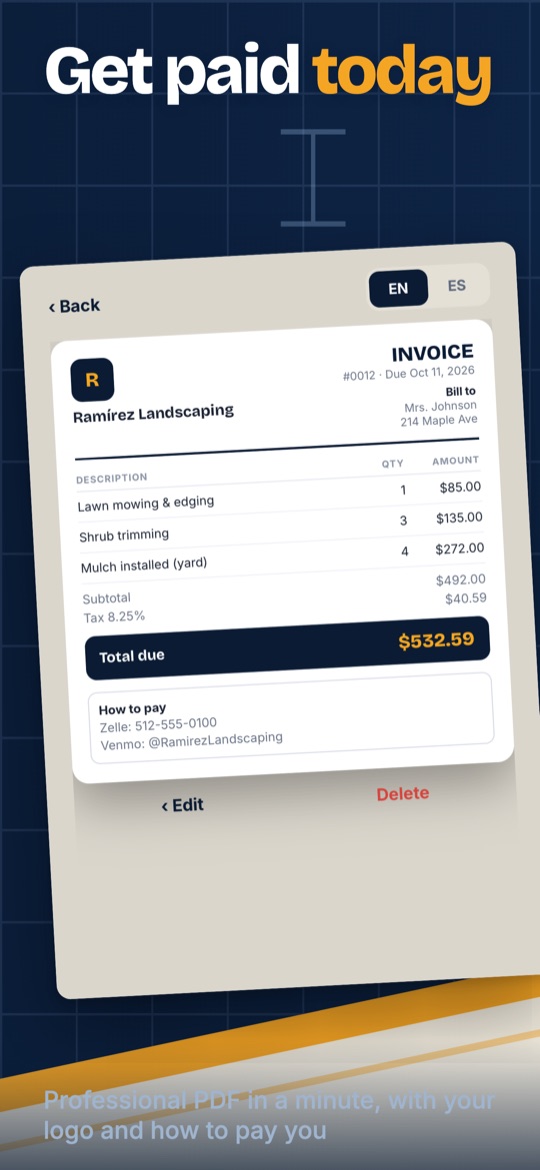
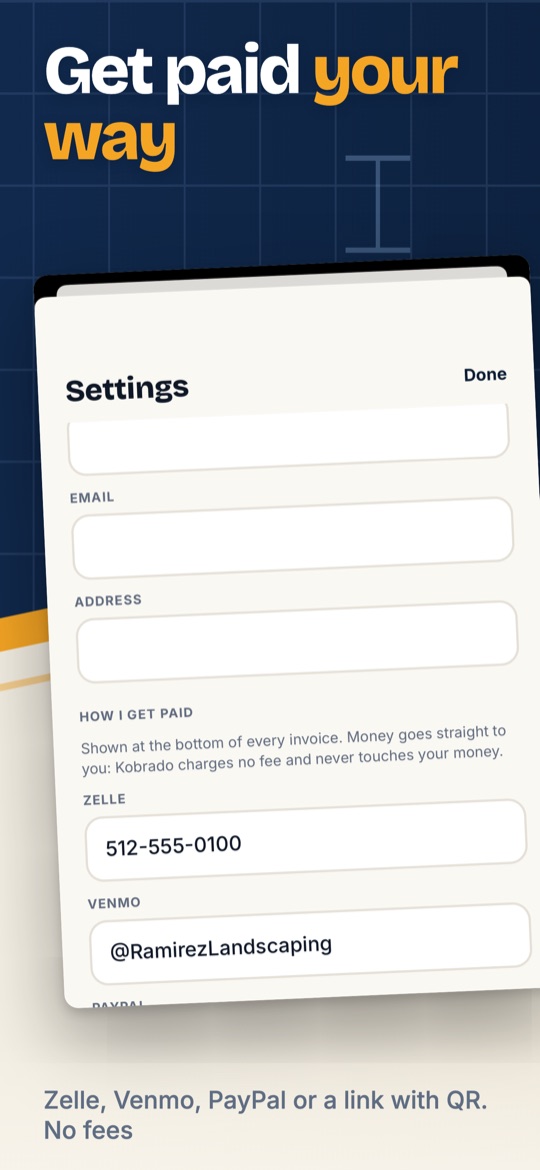
15% of the complaints. Kobrado does not process payments. Your Zelle, Venmo, PayPal or payment link with QR go printed on the invoice and the money goes straight to you. No fee, nothing held.
You write in Spanish, your client reads English
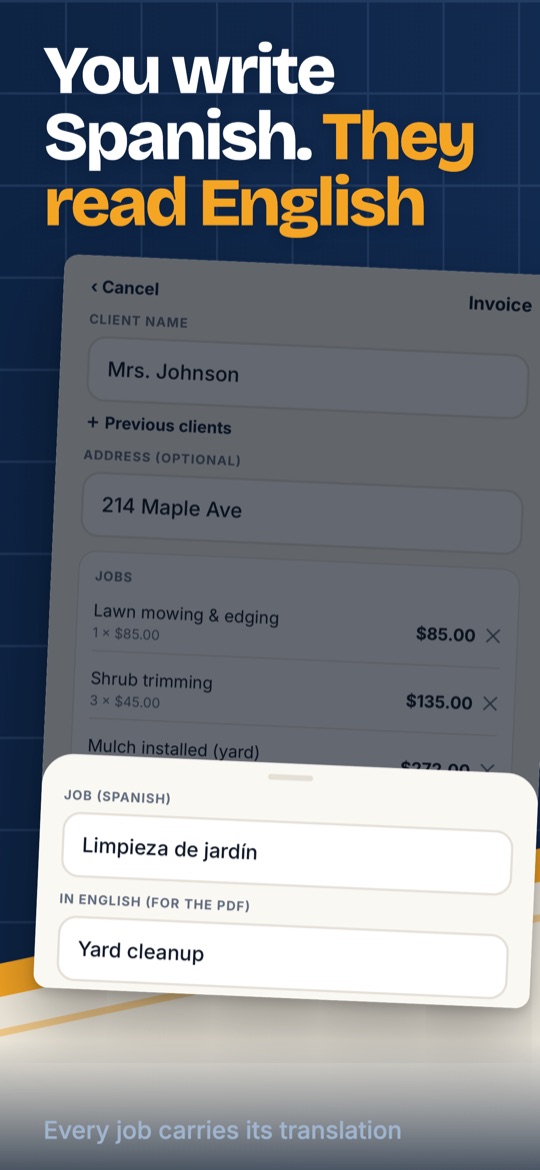
Rarely in reviews, constantly in conversations. You fill the estimate in Spanish and the PDF goes out in English or Spanish with one tap, with the jobs of your trade already translated.
Screenshots
Price
US$49.99 a year with a 7-day free trial, or US$6.99 a week. One price, unlimited estimates and invoices, PDF in English or Spanish, three PDF designs, signature, deposit and job photos. Available in the United States only for now.
Everything the app does
ONE FLAT PRICE, NO LIMITS
- Unlimited estimates and invoices. You never pay per document.
- No invoice caps, no "upgrade to send more".
YOU WORK IN SPANISH, YOUR CLIENT READS ENGLISH
- Use the app in Spanish or English.
- Every document can be sent as a PDF in English or Spanish, one tap to switch.
READY FOR YOUR TRADE
- Typical jobs for your trade come preloaded, already translated. Set your own prices once.
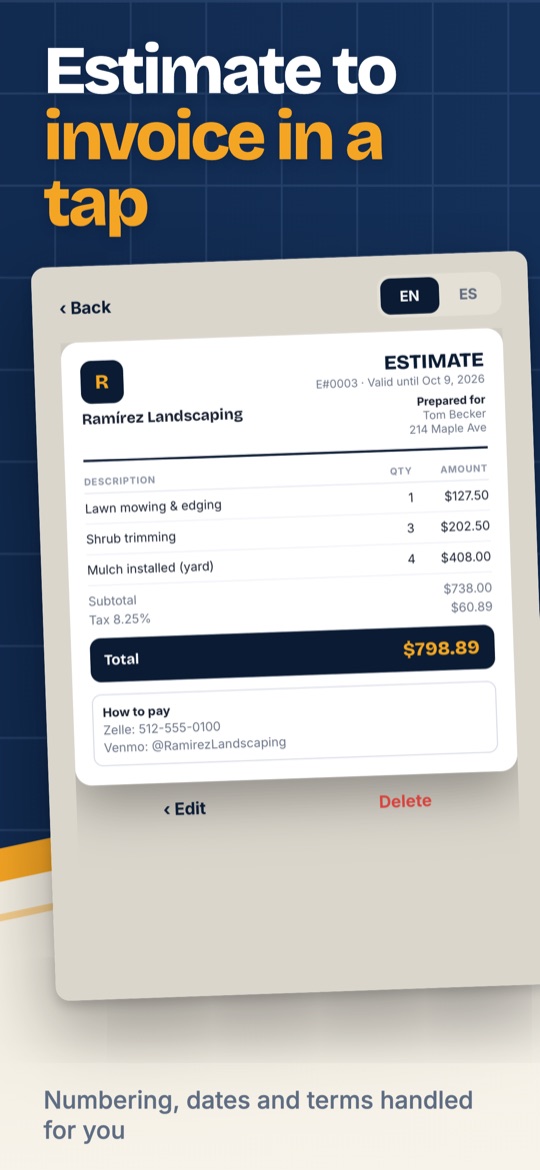
- Turn an accepted estimate into an invoice with one tap.
- Your logo, your business details, discounts, the tax rate you define, notes and payment terms.
- Three PDF designs. Signature, deposit and job photos.
GET PAID YOUR WAY
- Zelle, Venmo, PayPal or a payment link with QR code, printed on every invoice.
- Money goes straight to you. Kobrado charges no fee and never touches your money.
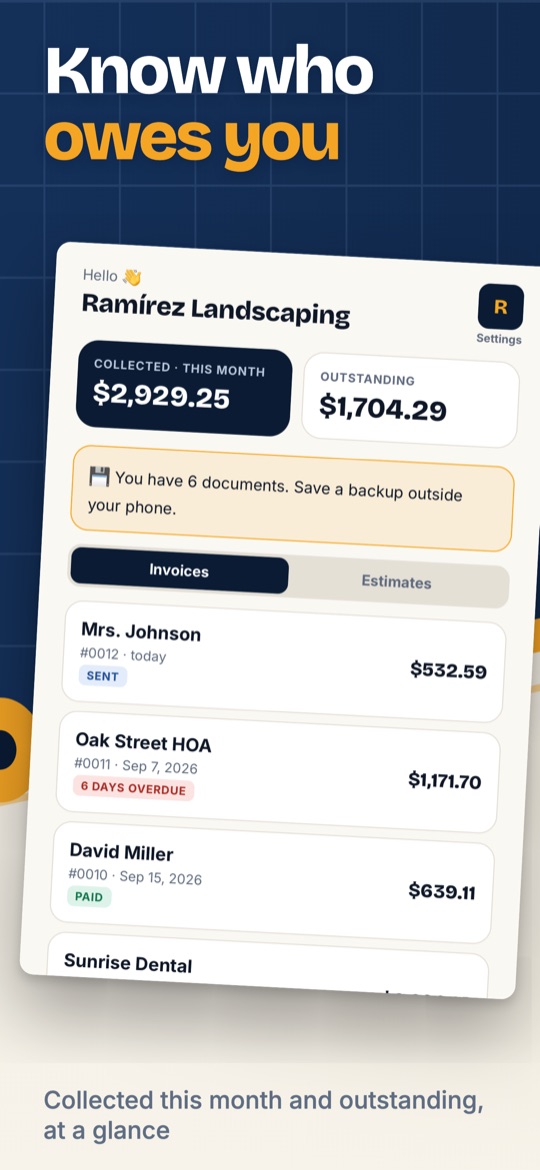
KNOW WHO OWES YOU
- See what you collected this month and what is still outstanding.
- Paid, sent and overdue at a glance. Reminders before an invoice is due.
YOUR DATA STAYS ON YOUR PHONE
- No account required. No ads.
- Automatic backup and restore whenever you want.
Questions
Do I need an account?
No. Kobrado works without an account and shows no ads. Your invoices and clients stay on your phone, with automatic backup and restore whenever you want.
Can I write in Spanish and send the invoice in English?
Yes. Use the app in Spanish or English, and send every estimate or invoice as a PDF in either language with one tap. The typical jobs of your trade come preloaded and already translated.
Is there a limit on invoices or estimates?
No. One flat price, unlimited documents. You never pay per document and there is no "upgrade to send more".
How do my clients pay me?
Your Zelle, Venmo, PayPal or a payment link with a QR code are printed on every invoice. The money goes straight to you: Kobrado charges no fee and never touches your money.
Can I turn an estimate into an invoice?
Yes, with one tap. Numbering, dates and payment terms are handled for you. You also see what you collected this month and what is still outstanding, with a weekly summary of what is unpaid.
How do I cancel?
In Google Play > Subscriptions, any time. Deleting the app does not cancel the subscription. Step by step on the support page.
Kobrado does not provide tax, legal or accounting advice. You set your own tax rates.
Guides
- Job names in English by trade
- Estimate vs. invoice: what is the difference?
- What to put on an estimate for a contracting job
- Get paid with Zelle, Venmo or PayPal as a contractor
- Asking for a deposit before starting a job
- Payment terms and due dates on an invoice
- Write the invoice in Spanish, send it in English
- Turn an accepted estimate into an invoice
- What to do when a client does not pay
- Your first invoice when you work for yourself